
Find the CalDAV URL for my Professional Email calendar
Use your CalDAV URL to sync your calendar across different devices and share your calendar to your website.
- Sign in to Webmail. Use your Professional Email address and password (your 123 Reg username and password won't work here).
- In the upper-left corner, select the Calendar.
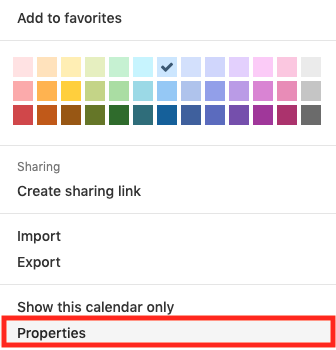
- Select your calendar and open its menu.
- Select Properties.
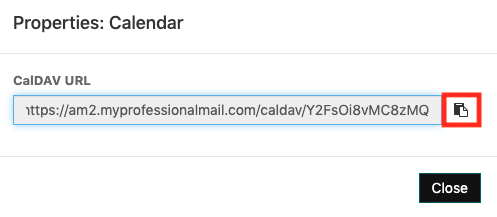
- Select the clipboard to copy the CalDAV URL.
More info
- Read how to set up your email on mobile or desktop.
- When you’re ready, share a public calendar to your website.