
Add a digital gift card
Set up and embed a gift card link on your website to allow your site visitors to purchase digital gift cards. Gift cards can boost sales, engage existing customers or bring in new customers. It’s free to set up and sell gift cards online, though you still pay a credit card payment processing fee.
- Go to your 123 Reg product page.
- Scroll to Website Builder and select Manage next to the website you want to change.
- Select Edit Website or Edit Site to open your website builder.
- Add a section, select Commerce, select Gift Card, then select Add.
- In the Gift Card menu, select Gift Card Settings.
- In a separate tab or window, go to your Gift Up! account or Square account and sign in.
- Gift Up!: Once you’ve created your gift card, go to Settings and select Get your checkout code/link. Then select Copy next to your link.

Note: For customers to redeem gift cards online from Gift Up!, you’ll need to use the unique 5-character code to create a matching coupon in your store. Read more from Gift Up! on how to redeem gift cards online (especially manual approach #2 for small sellers.) Here’s how to redeem gift cards in person. Read Gift Up!’s most popular articles, including delivering gift cards and gift card settings.
- Square: Select Gift Cards in the left menu and follow the prompts. From your Square dashboard, check that Sell eGift Cards Online is toggled on. Copy your Digital Gift Card URL from the Square dashboard. If you have difficulty, please read Square’s Help article (or watch their video, or set up from your app) and Square’s FAQs.
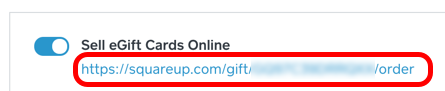
Note: See how Square’s gift card program works, read help articles or watch videos about eGift cards, and read more in Square’s FAQs.
- Back in your Website Builder site, paste the URL you copied into the Gift Card URL field.
- Edit the rest of your section settings, and remember to publish your site to make your changes visible.
More info
- Make sure you've set up online payment for your online store, as well as offline payment options.